Setting Up Ignored URL Parameters in AddSearch
AddSearch enables you to specify URL parameters that the crawler should ignore when collecting new links. This prevents URLs with non-content-changing parameters from being indexed, keeping your search results focused and relevant.
Why Ignore URL Parameters?
Some URL parameters do not change the page’s actual content, such as session IDs or tracking codes. Others, like filters in e-commerce sites (price, brand, size), may generate many URLs with similar content.
Ignoring these parameters helps avoid:
- Indexing duplicate or nearly identical pages
- Inflating your search index with irrelevant URLs
How to Configure Ignored URL Parameters
-
Log in to your AddSearch account.
-
Navigate to Setup > Domains and crawling.
-
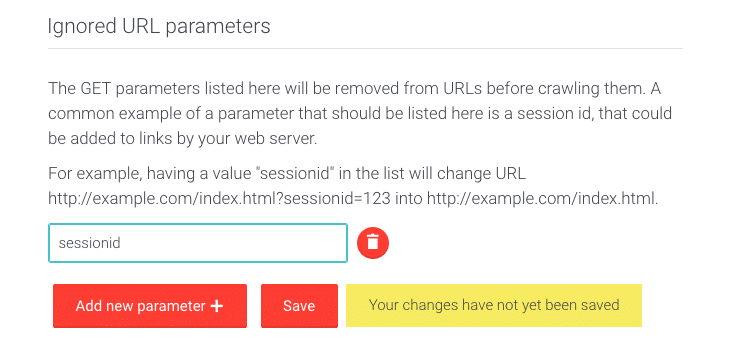
Find the Ignored URL parameters section.
-
Click Add new parameter +.
-
Enter the parameter name exactly as it appears in the URL query string, without extra characters.
- For example, in the URL
http://example.com/index.html?sessionid=123, entersessionid.
- For example, in the URL
-
Click Save to apply changes.