Setting Up Title Filtering in AddSearch
Use title filters in AddSearch to remove repetitive patterns from your page titles, improving readability in search results.
For example, if your titles are formatted like "Page name - Company name," you can create a filter to remove the constant "Company name" part.
How to Set Up Title Filters
- Log in to your AddSearch account.
- Navigate to Setup > Other settings in the dashboard.
- Locate the Title filtering section.
- Enable manual filtering to activate custom title filters.
- Select the filter type from the drop-down:
- Prefix to remove patterns from the start of titles.
- Suffix to remove patterns from the end of titles.
- Enter the exact pattern you want to remove in the input field.
- To remove multiple patterns, click Add new filter + and repeat.
- Click Save to apply your filters.
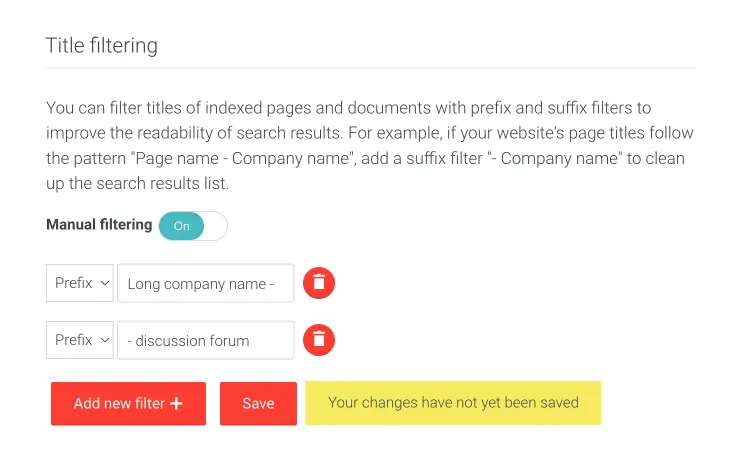
Note: Verify that this screenshot matches the current dashboard interface.
Title filtering helps keep your search results concise and user-friendly by removing redundant title elements automatically.