Installing AI Conversations
Use the AI Conversations widget to enable visitors to engage with your website content through a sequence of related questions and answers. The widget supports turn-based chat that interprets follow-up questions in the context of earlier interactions.
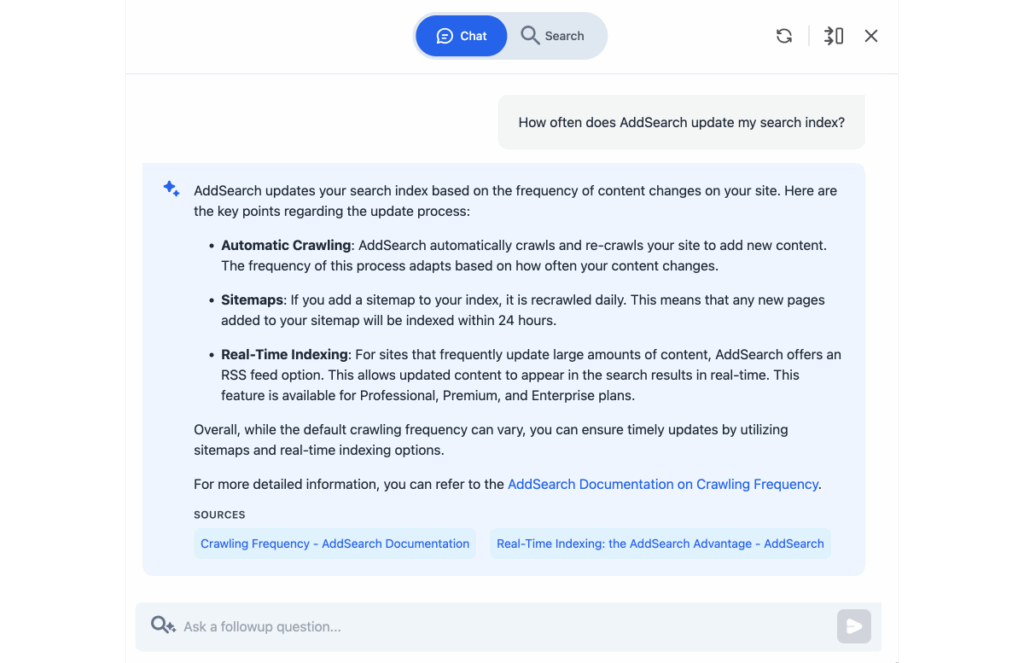
You can enable or disable the search view separately. Note that AI Conversations and site search are distinct features.
Install the AI Conversations widget
Add the AI Conversations widget to your website by embedding a single script tag. Typically, you add this script to your site-wide template so the widget appears on every page. Alternatively, add it only on specific pages where you want the widget.
Step 1: Insert your site key
Replace #### in the script with your actual site key.
Step 2: Add the script to your website
Paste the script tag either into:
- Your site's global template (recommended), or
- Individual page templates where the widget should appear.
Once loaded, the AI Conversations widget icon displays for visitors on those pages.
Widget behavior and controls
- Icon Placement: The widget icon appears on the page header or designated area.
- Opening the Widget: Clicking the icon opens a side panel on the right with the chat interface.
- Controls Available:
- Clear chat history: Starts a new conversation session.
- Full-screen / sidebar toggle: Switches the chat window between full-screen and side-panel views.
- Close: Hides the widget from view.
Input field behavior
- Before any question is asked, the input field shows below the header controls.
- After submitting a question, the input field moves below the conversation history to continue the chat seamlessly.
Editing templates in common content management systems
To add the script tag in your CMS, locate templates or theme files under menus such as:
- Theme
- Template
- Design
- Appearance
Modify the global template or page templates accordingly to place the AI Conversations script where needed.