Search Designer
The Search Designer lets you customize how search works and looks on your website. Use it to create a tailored search experience by adjusting key display elements and functionality.
You can access the Search Designer here: Search Designer Widget.
Note: The Search Designer requires a crawler-based index to correctly display all search result elements.
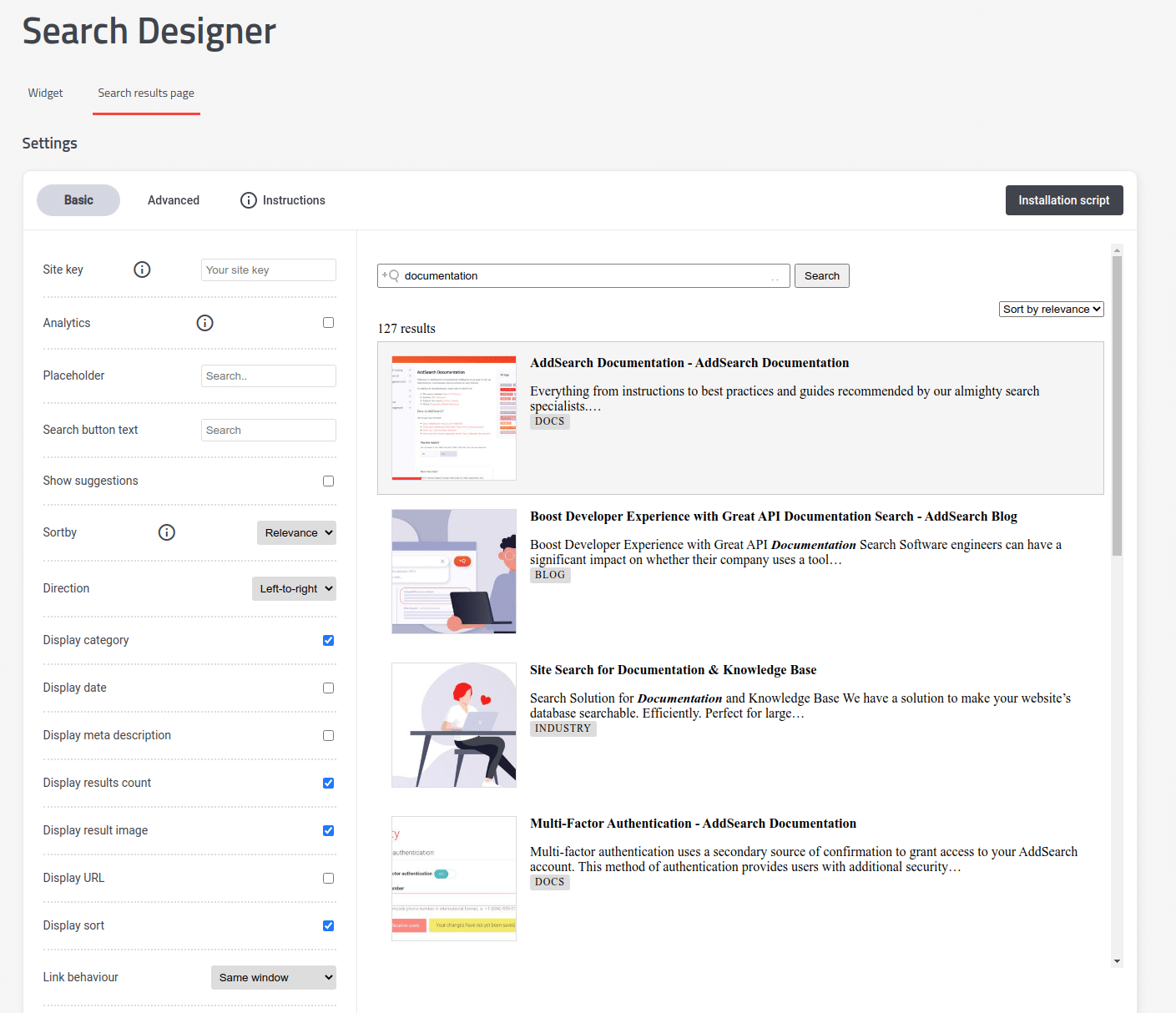
Basic settings
In the Basic Settings panel, configure essential search display options and user features:
- Choose to show or hide the date, image, and category for each search result.
- Enable or disable user-facing functionality such as search suggestions and sorting options.
Advanced settings
The Advanced Settings tab offers controls for more detailed customization:
- Define custom functions to send analytics events when users interact with search.
- Adjust date formatting according to your locale or style preferences.
- Set filters to refine the search results based on specific criteria.
Use these settings to fine-tune the search experience to fit your website's needs and user expectations.