Personalization
AddSearch Personalization customizes search results for each website visitor based on their previous behavior. This helps align search results with the user's intent and likely interests.
How to configure Personalization
- In the AddSearch dashboard, navigate to the Personalization settings.
- Specify a user token that identifies each visitor. This token should be stored in a cookie on your website.
- Use the dashboard to test Personalization by entering search queries and comparing default versus personalized search results.
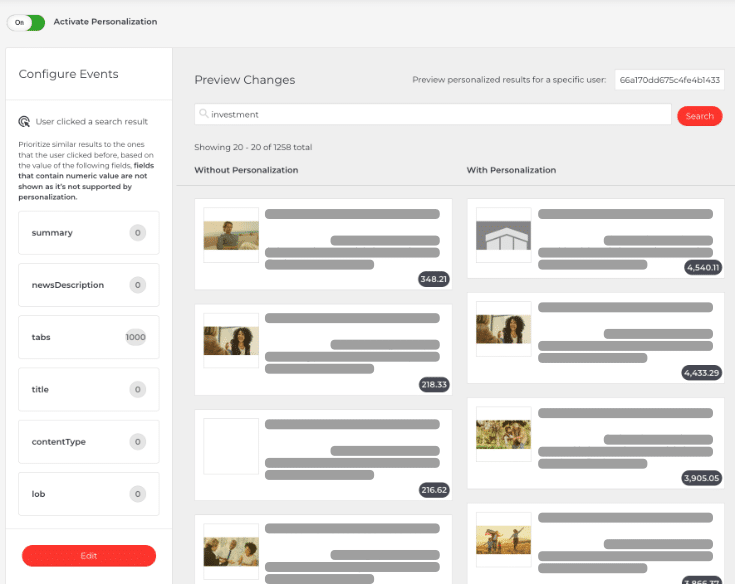
How Personalization works
Personalization adjusts search results based on users' past interactions. For example:
- If a user previously clicked on men's clothing products, future searches will prioritize men's clothing results.
- For news websites, if a user frequently reads local news, local articles will rank higher in their search results.
This tailoring helps users find relevant products or content faster without repeatedly refining their queries. It benefits e-commerce stores and content-rich sites like media platforms.
Privacy considerations
Personalization collects behavioral data using a unique user token stored in a cookie.
- You must include details about this data collection in your website's cookie consent prompt.
- You can control cookie use and duration using functions in the AddSearch JavaScript library.
For more information on data privacy and compliance, see AddSearch Privacy or contact support@addsearch.com.