Search Filters
AddSearch lets you add filters to your search interface, enabling users to narrow search results and find relevant content quickly. Filters can appear as tabs, dropdowns, switches, tags, or checkboxes, depending on the filter type.
Filter Types
You can configure filters based on several data sources:
- URL paths: Let users filter results by site sections or paths, guiding them to content within specific areas.
- Document type: Enable users to filter by file type (e.g., PDF, DOC) to find specific document formats.
- Document date: Allow users to sort and filter results chronologically using document timestamps.
- Custom fields: Create filters from your own metadata fields. These can support various controls like range sliders or checkboxes depending on the data type.
For details on managing and defining custom fields, see Using Custom Fields and Defining Custom Fields.
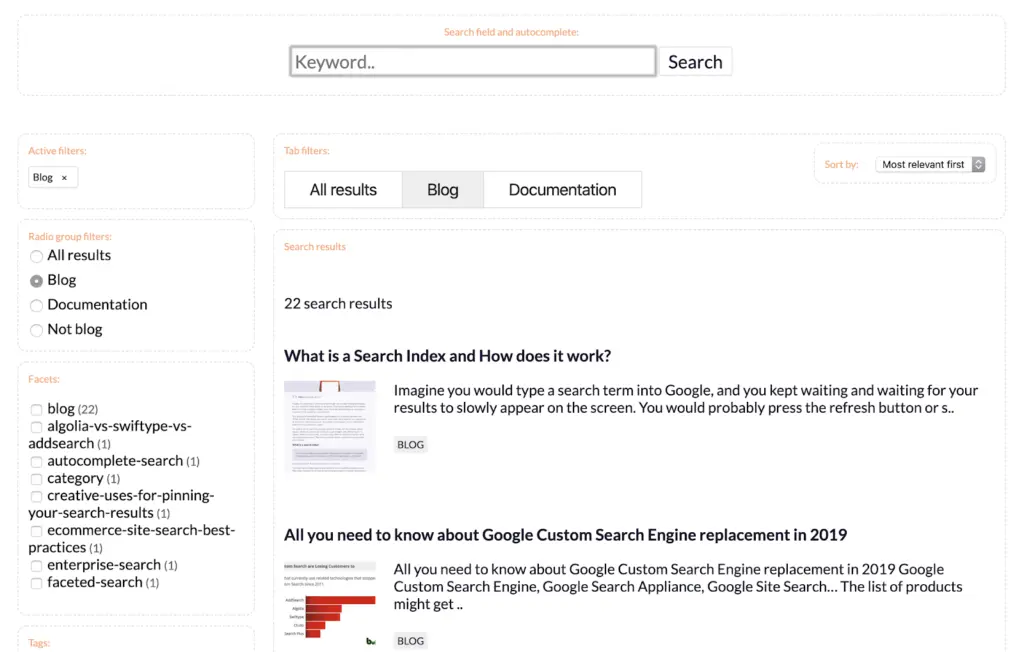
Category Filters
Use category filters to restrict searches to specific website sections, subdomains, or domains. This limits results according to the user's selected area.
Learn more about category filters in our guide on Restricting Search to a Certain Area of Your Website.
Implementation Resources
To implement filters in your search UI, consult these resources:
These guides provide code samples and configuration options to add filters effectively to your search interface.