Indexing and Updating Single Pages
AddSearch indexes your website content automatically based on the configured crawling frequency. To add or update individual web pages or other supported document types manually, use the Index tools available in your AddSearch Dashboard.
Manually adding or updating content lets you include new or changed pages in the search index within seconds.
How to Manually Add or Update Content
- Log in to your AddSearch Account.
- Navigate to Index tools in the Dashboard.
- Under Page status and actions, enter the full URL of the page or document you want to add or update.
- Click Check status.
- If the URL is already indexed, the page content preview displays. Otherwise, no content will show.
- Click Recrawl URL to start crawling and indexing the page immediately.
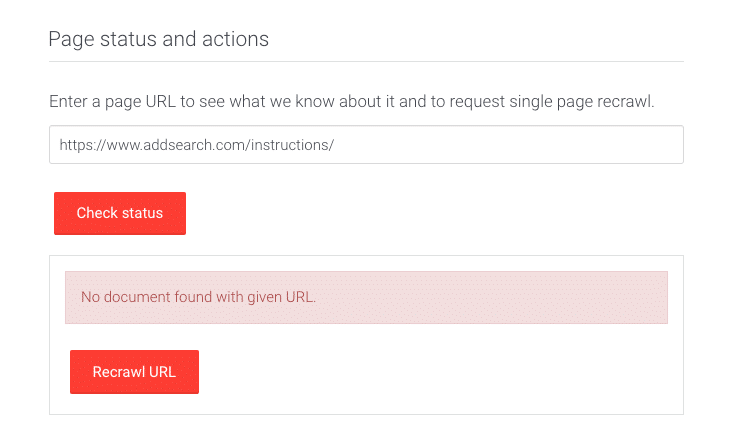
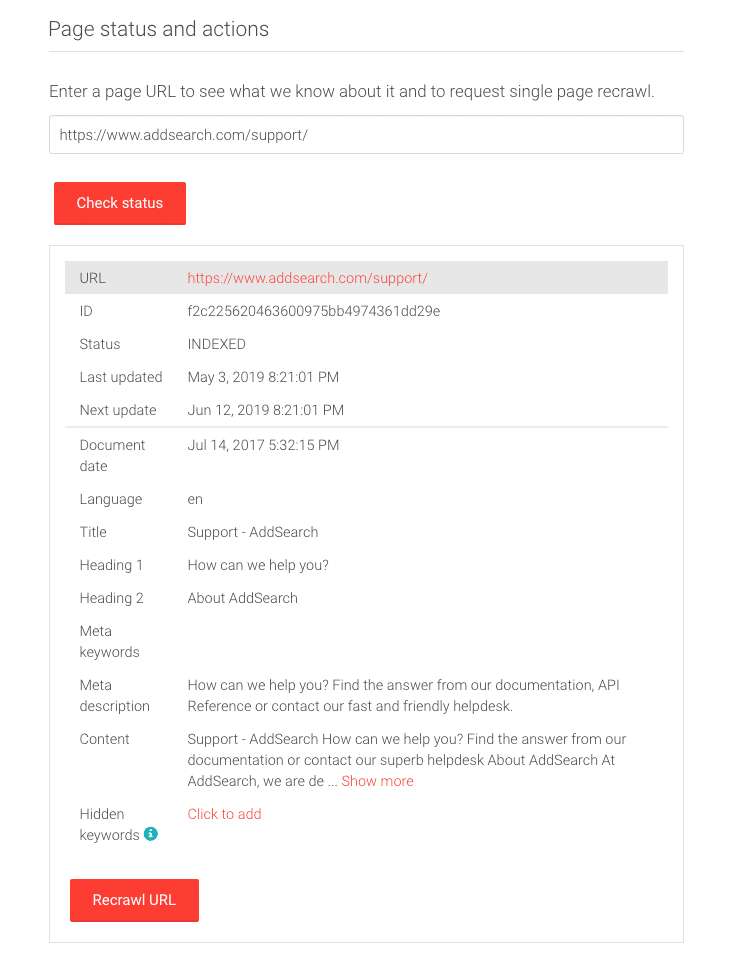
After you initiate a crawl or recrawl, AddSearch indexes the content immediately, making it available in your search results.
Additional Options
- To automate real-time additions, consider using the RSS-feed feature.
- For programmatic control, refer to the search API reference for endpoints to push content and request crawling.