Indexing and Filtering PDFs and Microsoft Office Documents (Word, PowerPoint, Excel)
AddSearch supports crawling and indexing document types beyond standard webpages, including PDFs and Microsoft Word, PowerPoint, and Excel files.
Enable indexing of additional document types
To enable AddSearch to crawl and index PDFs and Microsoft Office documents, follow these steps:
- Log in to your AddSearch account: AddSearch login
- Navigate to Setup > Domains and crawling.
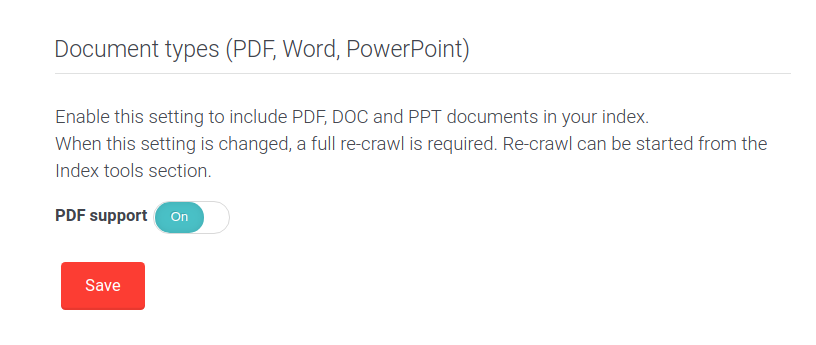
- Locate the Document types section.
- Enable the checkbox for PDF support (this also applies to Microsoft Word, PowerPoint, and Excel documents).
Run a full re-crawl
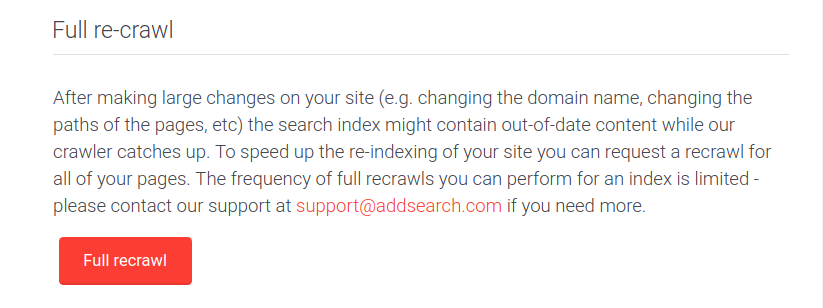
After enabling document type crawling, perform a full re-crawl to index the newly supported documents:
- Go to Index tools in your AddSearch dashboard.
- Click Request a full re-crawl.
Important notes
- Each document indexed counts as one page towards your plan's page quota. Enabling support for these document types may increase usage and potentially exceed your quota.
- The maximum size limit for indexing PDFs is 20 MB. If your documents are larger, contact AddSearch support to request a custom limit: /support/contact-support/.
Indexing document metadata
AddSearch indexes both the content and metadata of PDFs and Microsoft Office documents. If you need assistance adjusting how metadata is indexed or displayed in search results, contact AddSearch Customer Support: /support/contact-support/.
Filter search results by document type
AddSearch automatically indexes the following document types with these category identifiers:
doctype_htmldoctype_pdfdoctype_docdoctype_docxdoctype_pptdoctype_pptxdoctype_xlsdoctype_xlsx
You can filter search results using these document type identifiers with the Search Widget by applying a filter object.
Using document type filters in the Search Widget
The Search Widget consists of two parts:
- A settings object where you define filter criteria.
- A search script that initializes the widget.
Ensure the widget id (e.g., asw_01) matches in both components.
Example: Include only PDF results
var settings = {
  "filters": {
    "category": ["doctype_pdf"]
  },
  // other settings
};

var searchWidget = new AddSearchWidget({
  id: "asw_01",
  settings: settings
});
Example: Include only PowerPoint (pptx) results
var settings = {
  "filters": {
    "category": ["doctype_pptx"]
  },
  // other settings
};
Example: Include PDF, PPTX, and DOC results
var settings = {
  "filters": {
    "category": ["doctype_pdf", "doctype_pptx", "doctype_doc"]
  },
};
For further details on using category filters, see Search Filtering documentation.