Installing AddSearch on a Joomla Website
This guide explains how to add the AddSearch instant site search to your Joomla website.
Steps to Install AddSearch on Joomla
1. Obtain Your Site Key
- Log in to your AddSearch Account.
- Navigate to Setup > Keys and installation.
- Copy your Site Key listed under Your Site Key.
2. Configure the Search Widget
- Open the AddSearch Search Designer tool.
- Customize the search widget appearance and behavior to fit your website needs.
- Copy the generated installation script provided by the tool.
3. Add the Installation Script to Joomla Pages
-
Log in to your Joomla Admin panel.
-
Go to Components and select your page builder extension (e.g., Quix).
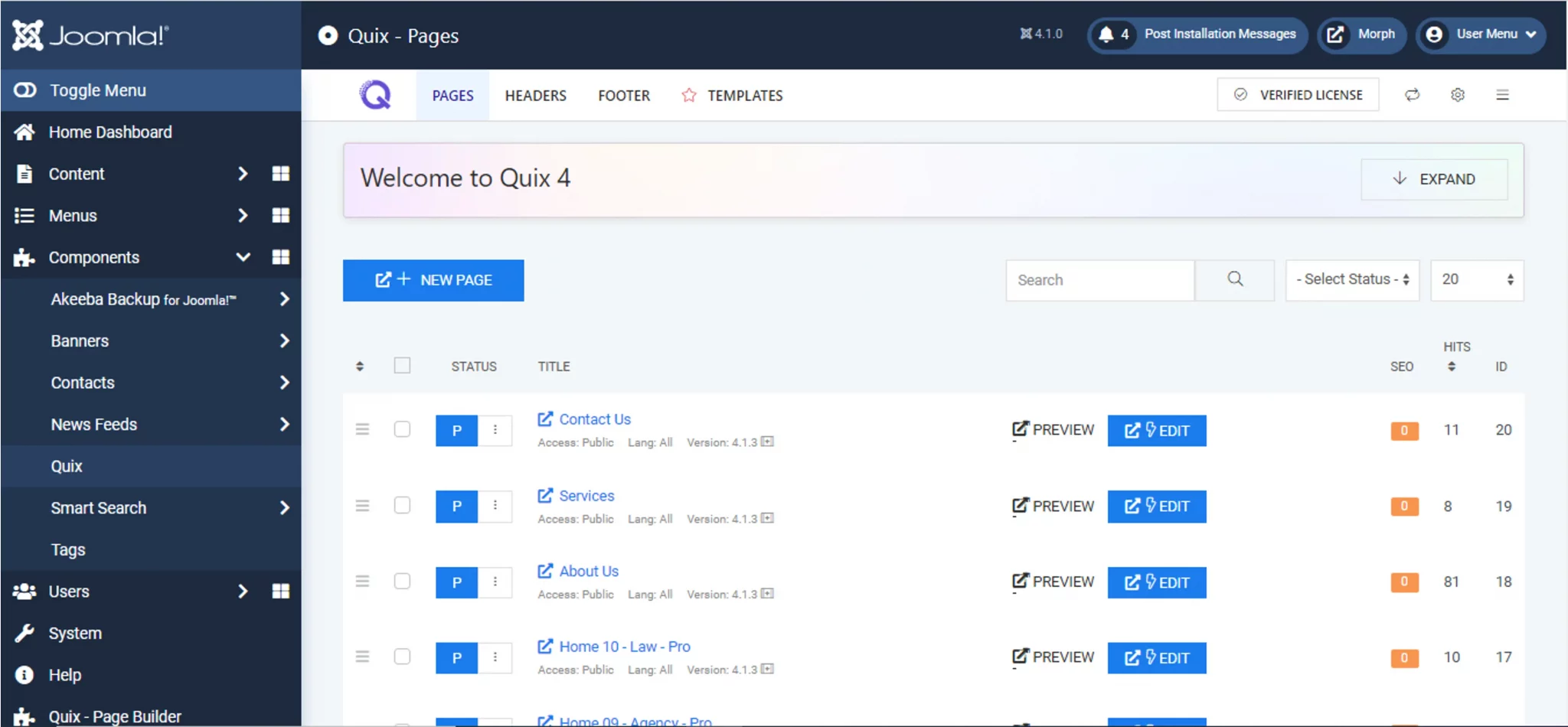
-
Click Edit on the page where you want the search bar to appear.
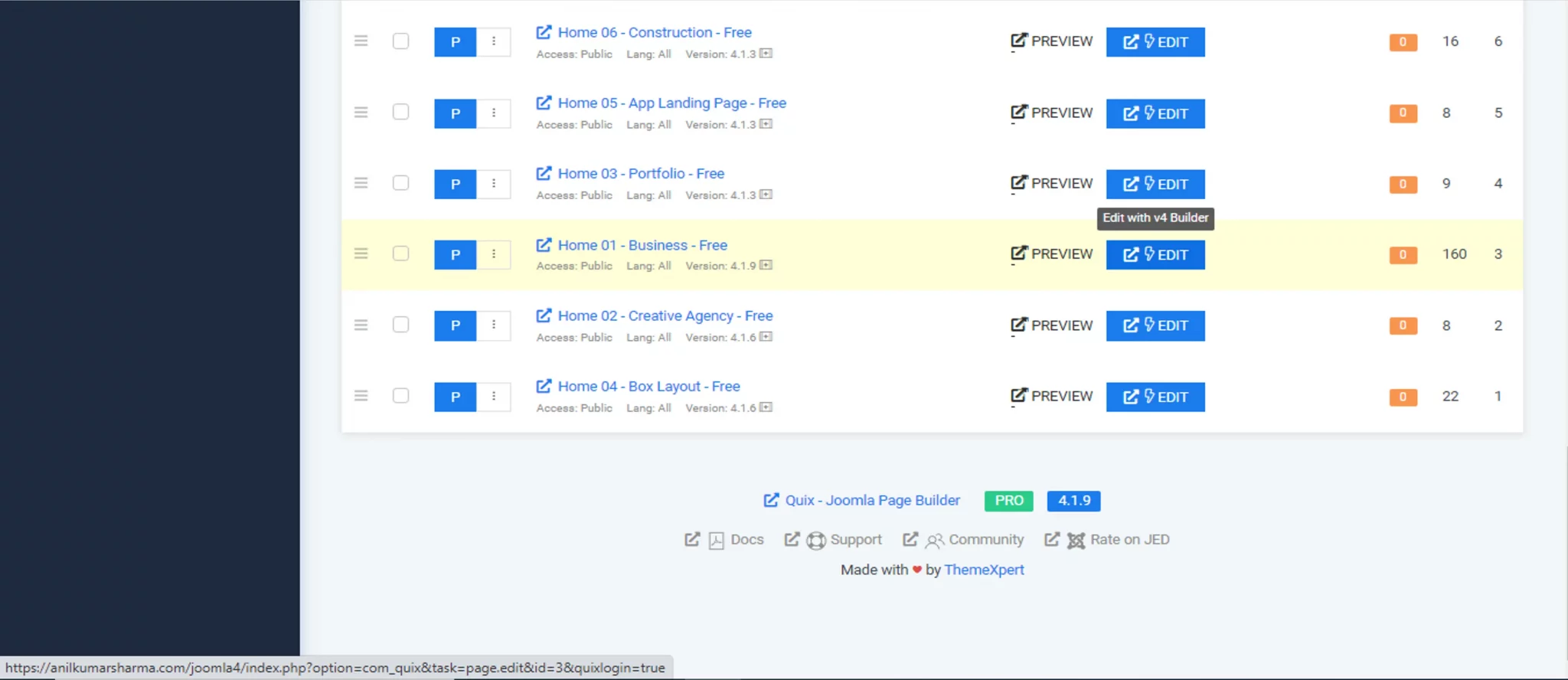
-
Scroll down and click Add Section, then click the Add Element button (+).
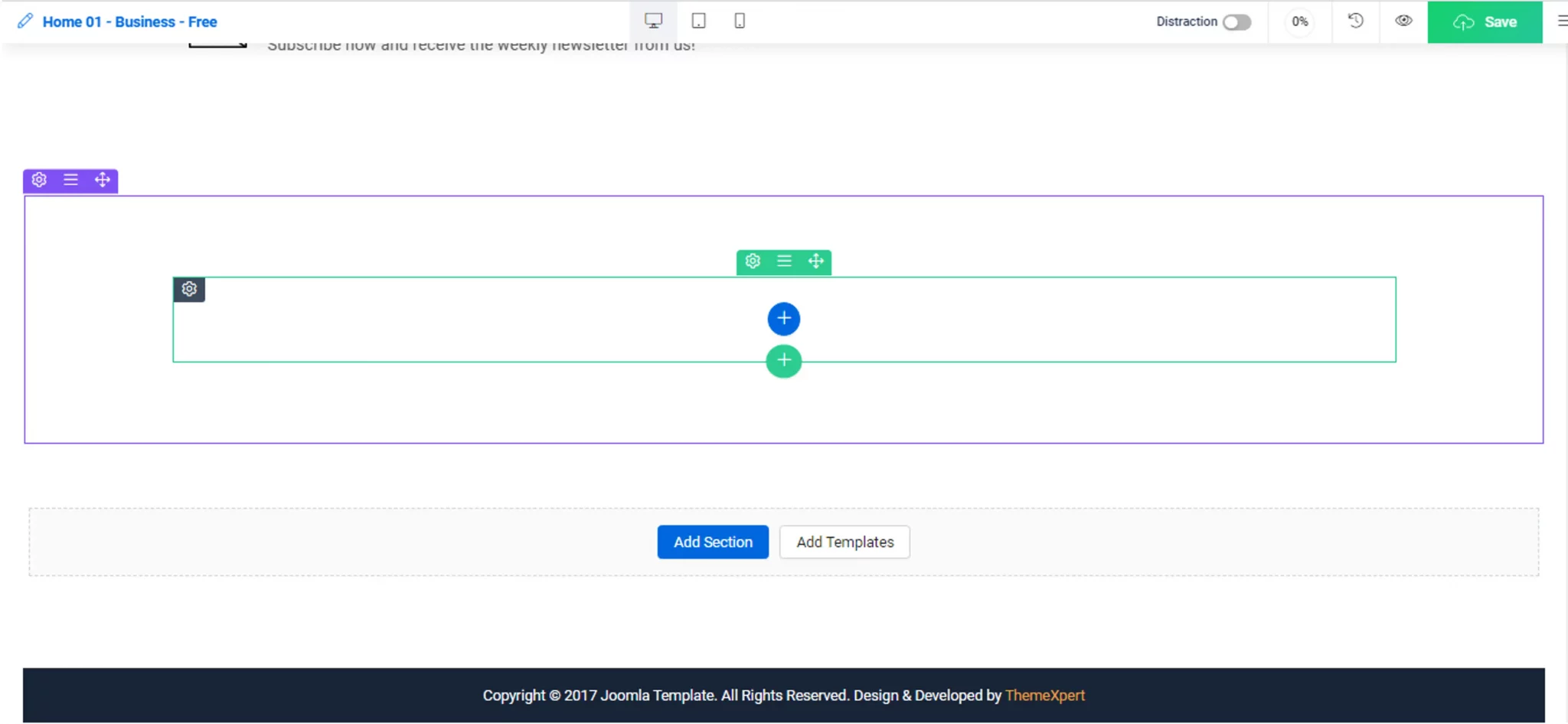
-
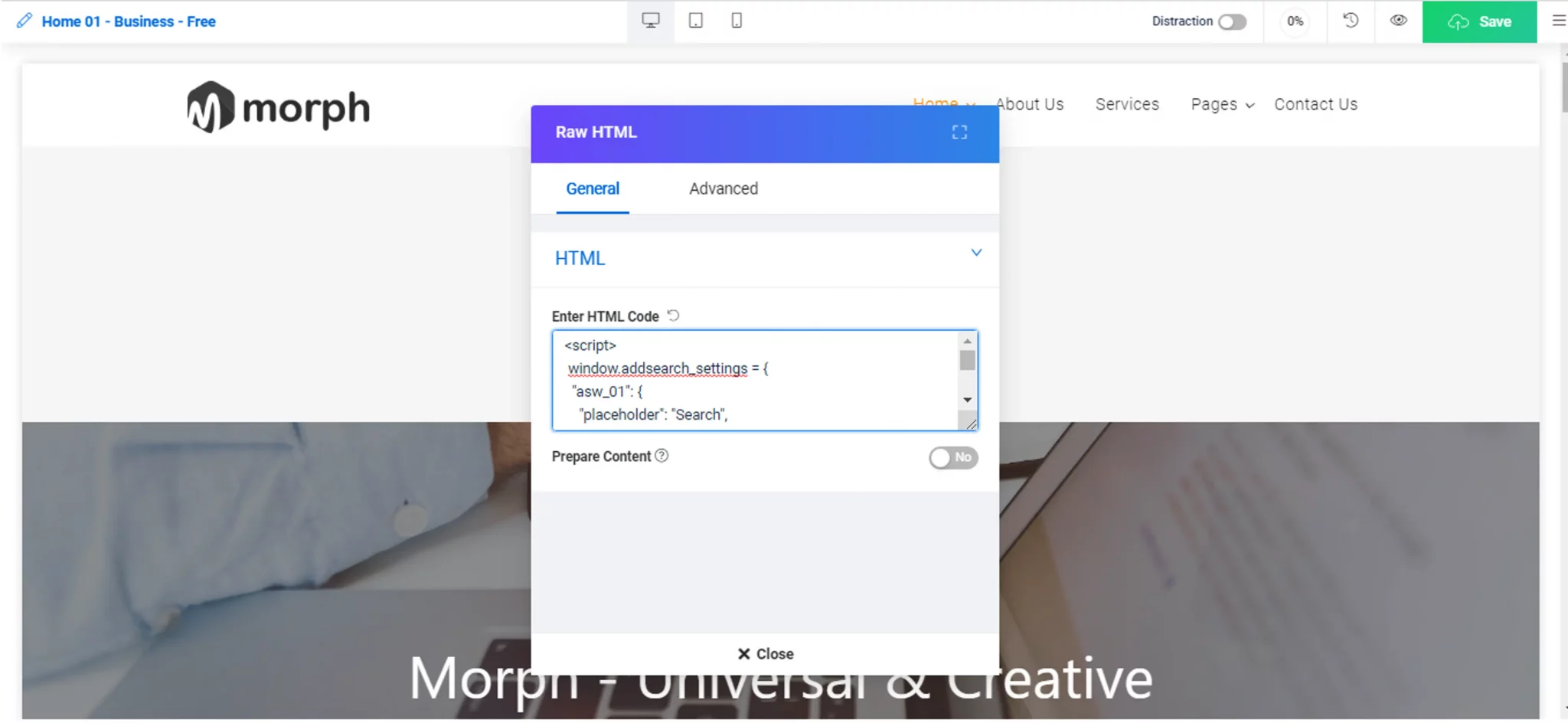
Choose the Raw HTML element.
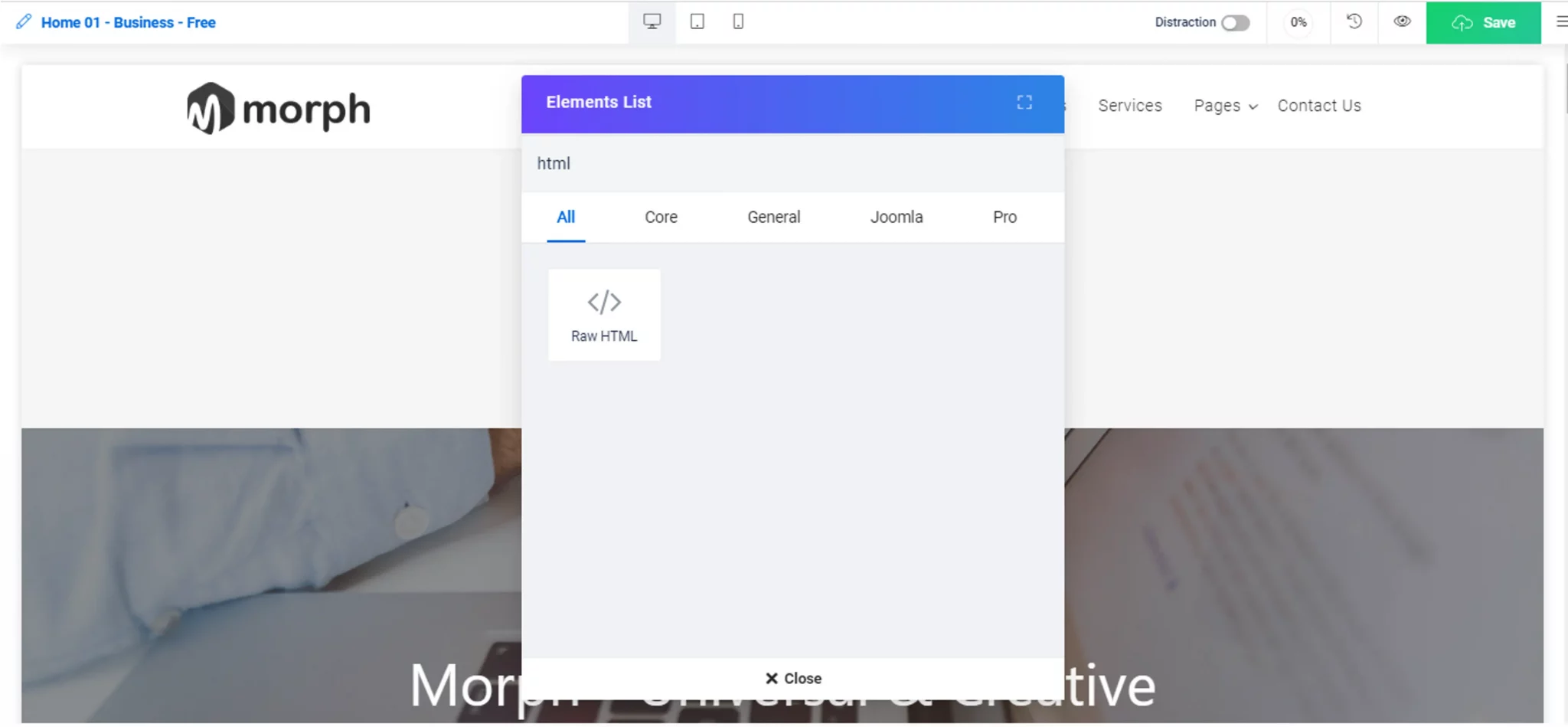
-
Paste the AddSearch installation script into the text area.
-
Save your changes.
-
Verify that the search bar appears on the chosen page.
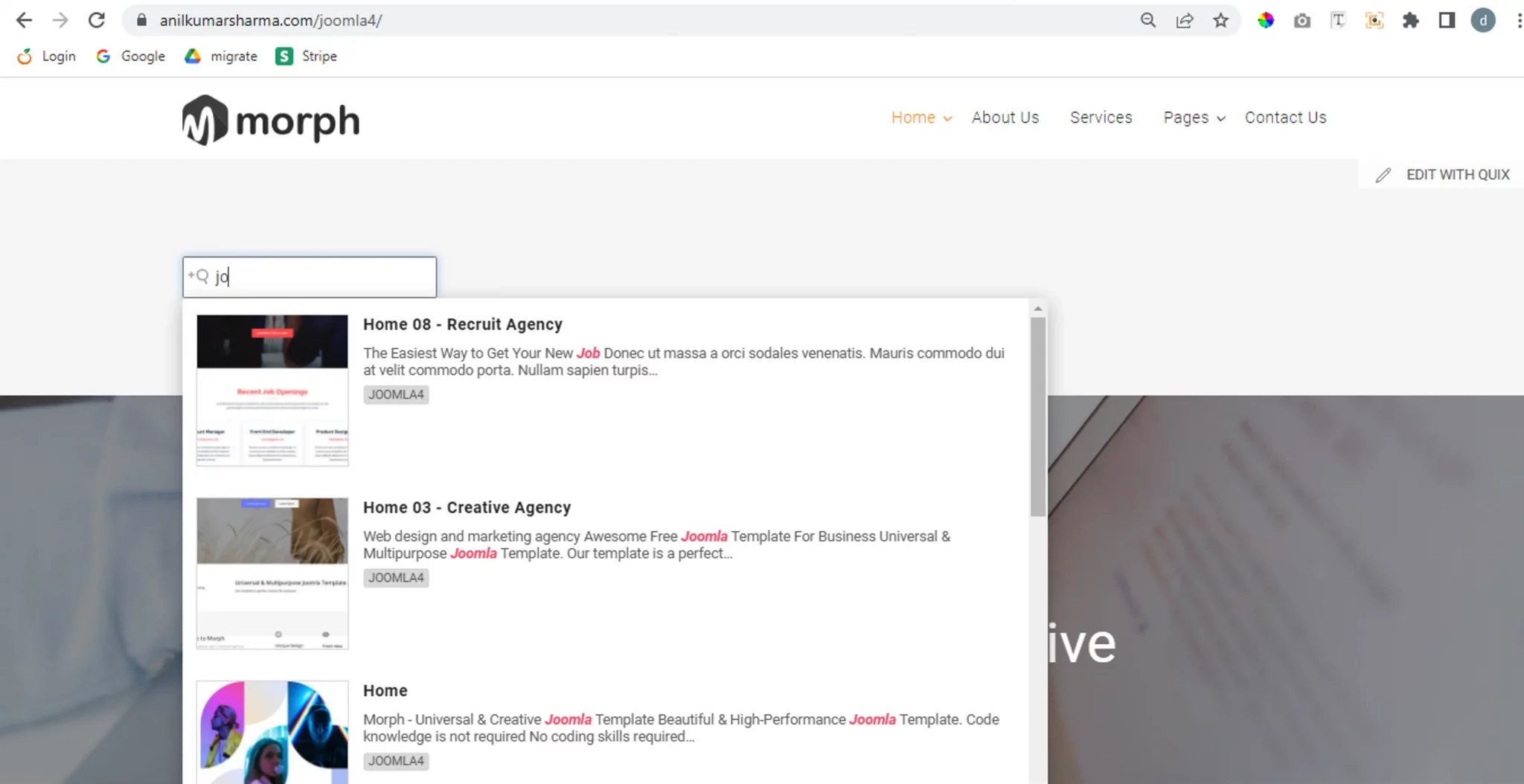
Your Joomla site now includes the AddSearch instant site search.
For further customization, refer to the AddSearch documentation.