Auto Synonyms
Use the Auto Synonyms feature in AddSearch to automatically identify search queries that return no results ("no-hit" keywords) and suggest contextually relevant synonyms. This helps improve search result accuracy and reduces manual synonym management.
How to Enable Auto Synonyms
- Log in to your AddSearch account.
- Navigate to Manage results and select Synonyms.
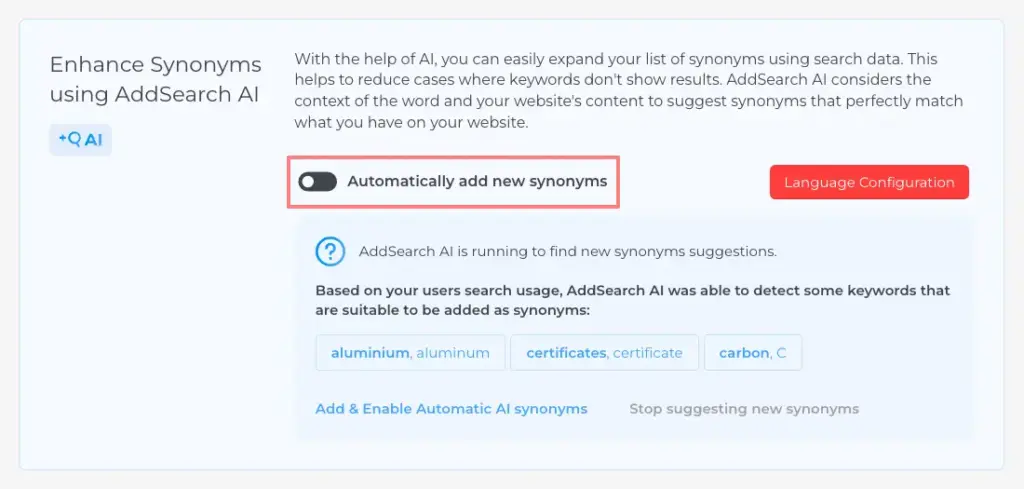
- Toggle on Automatically add new synonyms to activate Auto Synonyms.
Reviewing and Managing Auto Synonyms
After enabling, the system detects no-hit keywords from user searches and automatically suggests synonyms.
- To review suggestions, go to the Synonyms page.
- Review the suggested synonyms linked to no-hit keywords.
- Remove any irrelevant synonyms manually if needed.

Set the Language for Synonym Generation
By default, Auto Synonyms uses auto-detected language to generate synonyms. To specify a language:
-
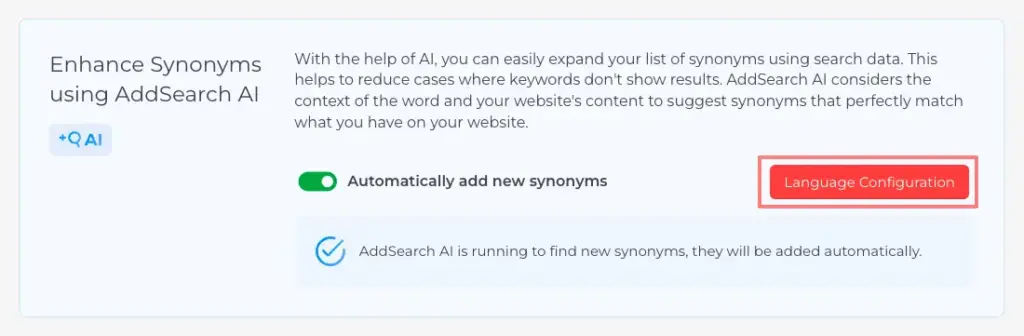
Click the Language Configuration button in the Synonyms section.
-
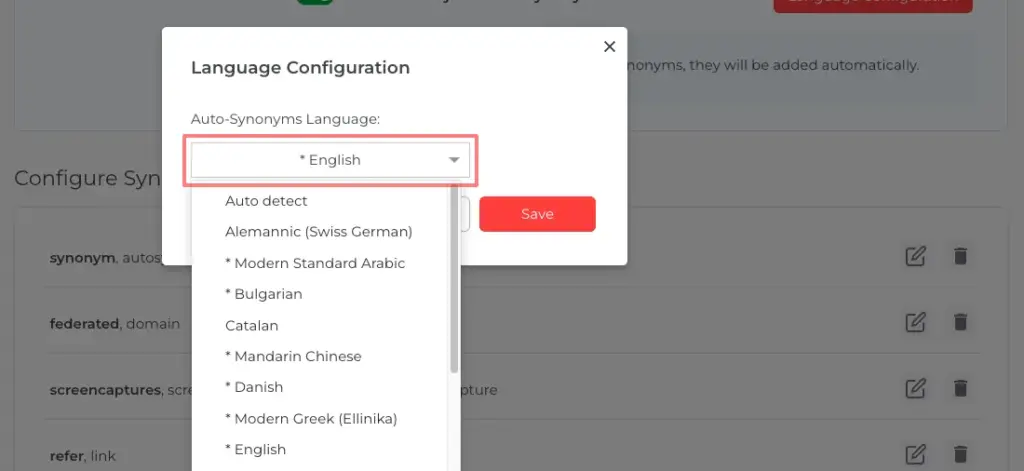
Select one language from the drop-down list.
-
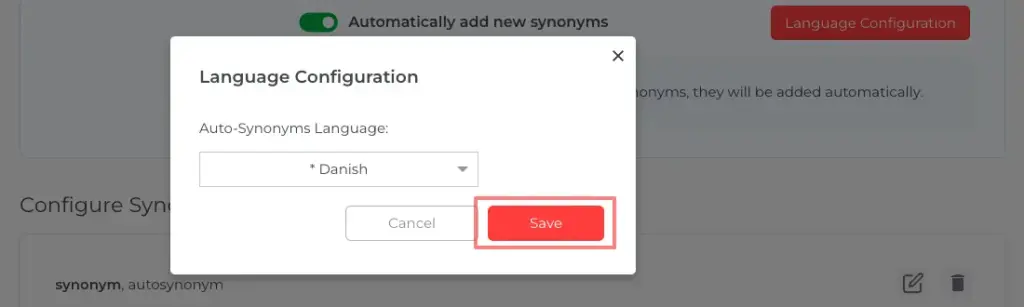
Click Save to apply the selection.
Note: Only one language can be set per search index. For supporting multiple languages, create separate indices for each language.
Data Privacy
AddSearch prioritizes customer and user privacy. Auto Synonyms operates under strict data privacy and security standards to protect your data.
For questions or concerns, contact AddSearch support at support@addsearch.com.