Progressive Ranking
Progressive Ranking is an AddSearch feature that uses AI-powered machine learning algorithms to improve your search results dynamically in real time. It continuously analyzes search queries and clickthrough rates, boosting results with higher user demand to deliver more relevant search outcomes.
For example, user preferences for "men's shoes" may vary by season: sneakers in summer and boots in winter. Instead of manually updating rankings or pinning results, Progressive Ranking automatically adapts your search results to these changing trends.
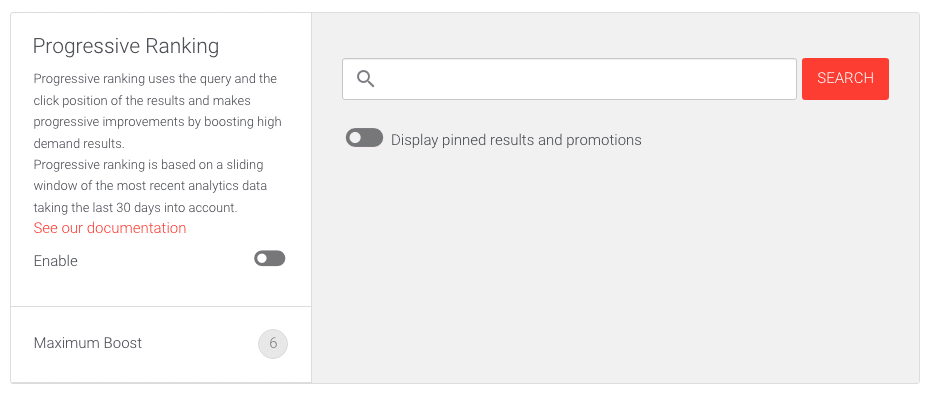
Progressive Ranking Interface
The Progressive Ranking settings page includes:
- An Enable toggle to activate or deactivate the feature.
- A Maximum Boost slider to adjust how much boost is applied to popular results.
- A search field to test queries.
- Switches to show or hide pinned results and promotions in search results.
- A live results list that updates in real time as you adjust the settings.
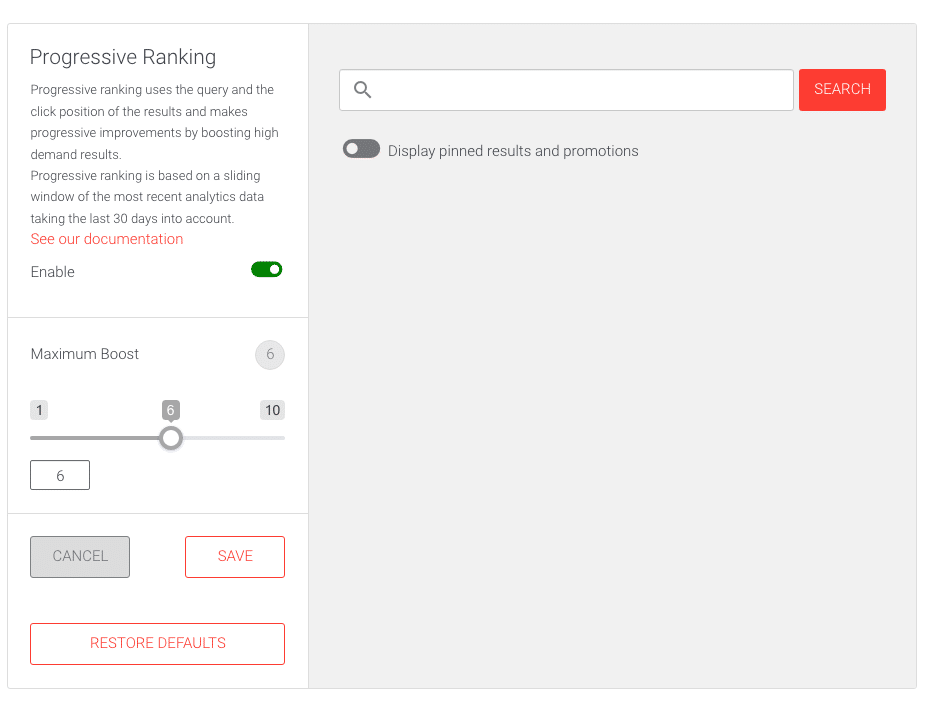
How to modify Progressive Ranking settings
- Log into your AddSearch account.
- Navigate to Manage results > Progressive ranking.
- Click the Edit button to open the editor.
- Toggle the Enable switch to activate Progressive Ranking.
- Use the Maximum Boost slider or enter a value to adjust the boosting level.
- Use the search test field to observe how results change with your settings.
- When finished, click:
- Save to apply your changes,
- Cancel to discard them,
- or Restore defaults to reset settings to their original values.
Adjust these settings to tailor how aggressively your search results adapt to user interactions, improving search relevance over time.