Stemming and Language Settings
Stemming controls how AddSearch processes search queries and website content by recognizing common word forms like plurals and endings. For example, English stemming allows the search to match words like "filtering" with "filters" or "phone" with "phones."
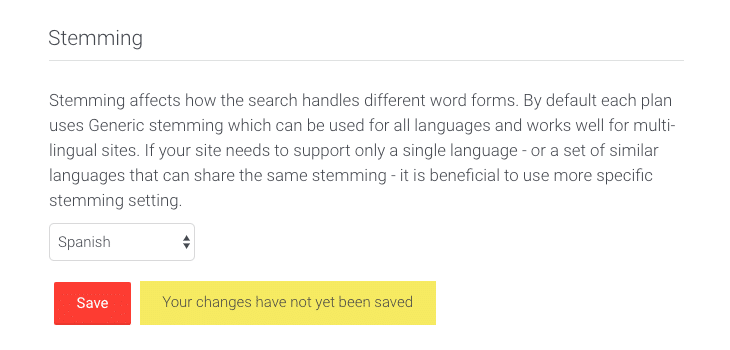
By default, all indices use a Generic stemming algorithm that works for any language or multilingual content. Use language-specific stemming if your website primarily uses a single language or multiple languages with the same stemming rules.
How to Change Stemming Settings
- Log in to your AddSearch account.
- Navigate to Setup > Other settings in the dashboard.
- Scroll to the Stemming section.
- Select the desired language-specific stemming or keep the Generic stemming option from the drop-down menu.
- Click Save to apply your changes.
Available Stemming Languages
These stemming options are currently supported. Contact us via Support if you require additional languages.
- Generic stemming (default)
- Arabic
- Armenian
- Basque
- Bengali
- Brazilian Portuguese
- Bulgarian
- Catalan
- Chinese (Simplified)
- Chinese (Traditional)
- Czech
- Danish
- Dutch
- English
- Finnish
- Finnish (Advanced)
- French
- Galician
- German
- Greek
- Hindi
- Hungarian
- Indonesian
- Irish
- Italian
- Japanese
- Kurdish Surani
- Latvian
- Lithuanian
- Norwegian
- Portuguese
- Romanian
- Russian
- Spanish
- Swedish
- Turkish
Related Resources
- Determining the Language of Webpages
- Interface Language of Ready-Made UI
- User Language-Based Search Results in Ready-Made Views
For multilingual websites, refer to the AddSearch for multilingual websites guide to optimize language-based search results and interface translations.