Adjusting Field Weights in AddSearch
Field weights let you control how much influence specific document fields have on search result rankings. By increasing a field's weight, you boost the relevance of pages containing matching keywords in that field.
You can apply field weights to standard fields such as titles, headings, URLs, and the main content, as well as to custom fields you've indexed.
For example, if product names appear consistently in a specific subheading (like an H2 tag) and you want search results to prioritize matches in those subheadings, increase that field's weight.
Field Weights Interface Overview
The Field Weights interface is divided into two tabs:
- Standard fields: Modify weights for default fields like title, URL, or main content.
- Custom fields: Manage weights for your indexed custom fields.
On the right side, you can find:
- A search input to test how weight changes affect results.
- A toggle to enable or disable Pinned results and Promotions.
- A real-time list of search results reflecting the current weight settings.
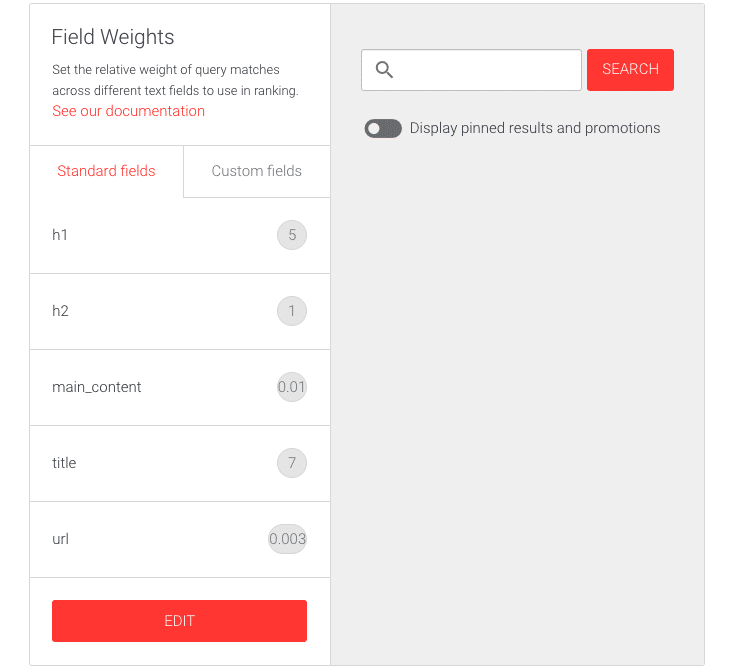
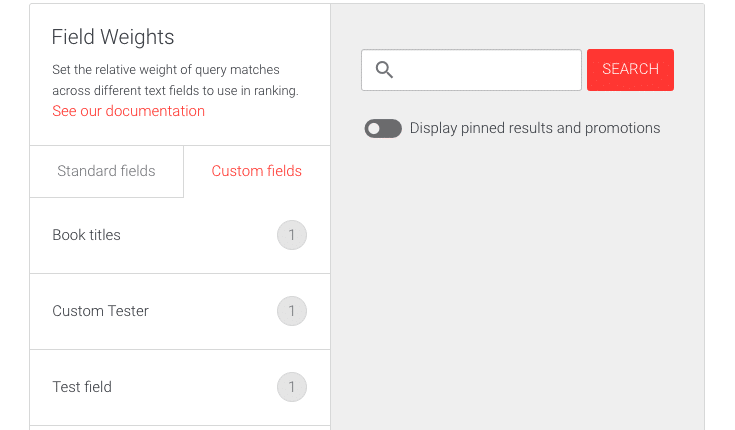
Screenshot note: Confirm whether the Edit button placement and interface elements in the custom fields tab are consistent with the current dashboard.
How to Edit Field Weights
- Log in to your AddSearch account.
- Navigate to Manage results > Ranking tools.
- Select the Field weights option.
- Choose the tab for either Standard fields or Custom fields depending on which you want to edit.
Editing Standard Field Weights
- Click the Edit button to open the editor.
- Adjust weights using the sliders or enter numeric values directly.
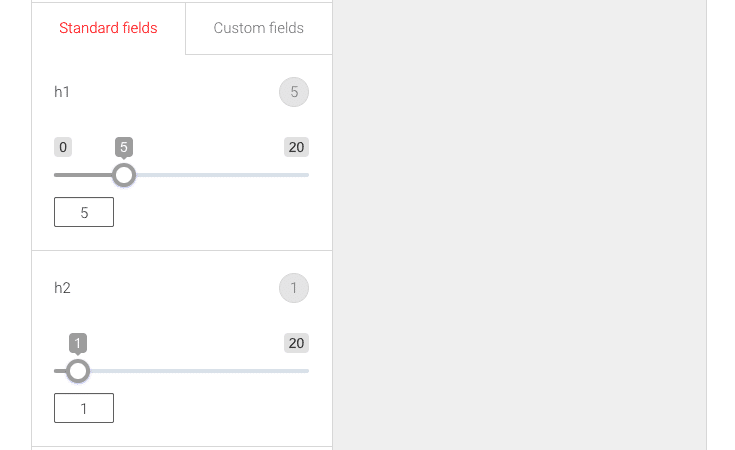
- Use the buttons to:
- Save your changes.
- Cancel to discard edits.
- Restore defaults to reset all weights.

Editing Custom Field Weights
- Click the Edit button to start editing.
- Adjust weights with sliders or numeric inputs.

- Click Save, Cancel, or Restore defaults as needed.
Setting a Field Weight to Zero
Setting a field's weight to zero excludes its content from influencing search rankings. This is useful if you want to ignore the main content and rely on custom fields instead.
For example, set the main_content field weight to zero in the Standard fields, then assign positive weights to your relevant custom fields to prioritize them.
Adjusting field weights lets you fine-tune your search relevance by emphasizing important content areas. Experiment with different settings and monitor the live search results to achieve optimal outcomes.
For further result management options, see Pinned results and Promotions.